


Welcome back to our essential digital marketing glossary for 2025! In the first part, we explored key terms like A/B Testing, Affiliate Marketing, Brand Positioning, and more—setting the stage for anyone eager to elevate their digital marketing skills. Now, we’re ready to dig even deeper. In this second installment, we’ll break down six more vital concepts that marketers, business owners, and digital enthusiasts need to grasp to succeed in today’s fast-moving online landscape. From understanding ad pricing models like CPC and CPM to mastering performance metrics such as CTR and CRO, this guide is designed to clear up the jargon and boost your marketing confidence.
Cost Per Click (CPC)
Cost Per Click (CPC) is a key metric in digital advertising that helps advertisers figure out how much they need to pay each time someone clicks on their online ad. It’s a crucial part of the Pay-Per-Click (PPC) model, which is widely used in search engine advertising, like Google Ads, as well as in social media ads, such as Facebook Ads, and various other online platforms.
How CPC Works
When you run a digital ad campaign, you can choose to pay:
- Per impression (CPM – cost per thousand views),
- Per conversion (CPA – cost per action),
- Per click (CPC – cost per click).
In the CPC model, you only pay when someone actually clicks on your ad, which makes it a performance-driven strategy. For instance, if your ad is displayed 1,000 times but only gets 10 clicks, and your cost per click (CPC) is ₹1, you’ll end up paying ₹10.
Formula to Calculate CPC
CPC = Total Advertising Cost / Number of Clicks
- Total ad spend = ₹500
- Number of clicks = 200
- CPC = ₹500 / 200 = ₹2.50
Types of CPC
- Manual CPC:- You set the maximum amount you’re willing to pay per click.
- Automated CPC:- The ad platform automatically adjusts your bids to get the most clicks within your budget.
- Enhanced CPC (ECPC):- A hybrid of manual and automated—adjusts your manual bids to improve conversions.
Factors Affecting CPC
Several variables impact the cost per click:
- Industry/Niche:- Some industries (like law or insurance) have very high CPCs due to high competition.
- Keyword Competition:- Popular keywords cost more. E.g., “buy car insurance” has a much higher CPC than “DIY car cleaning tips”.
- Quality Score (in Google Ads):- Google’s rating of the relevance and quality of your ad, keywords, and landing page. A higher Quality Score can lower your CPC.
- Ad Rank:- Determines your ad’s position. It’s based on bid amount and Quality Score.
- Geography and Demographics:- CPC can vary based on the location or characteristics of the target audience.
Why CPC Matters
- Budget Control: Advertisers can control how much they spend per click.
- Performance Indicator: Helps gauge how effectively your ads are driving traffic.
- Optimization: Understanding CPC helps you refine your keywords, ad copy, and targeting for better ROI.
Strategies to Reduce CPC
- Improve Quality Score: Optimize ad relevance, keyword targeting, and landing page experience.
- Use Long-Tail Keywords: These are less competitive and often cheaper.
- A/B Test Ads: Run multiple versions of ads to find the best-performing ones.
- Negative Keywords: Exclude irrelevant keywords to avoid wasted clicks.
- Geo-targeting: Focus on areas where clicks are cheaper and more valuable.
CPC is an essential metric in the world of digital marketing, particularly for businesses looking to attract traffic to their websites without breaking the bank. To truly master CPC, you need to grasp how ad platforms operate, fine-tune your bidding strategies, and consistently optimize your campaigns to maximize the value you get from each click.
Cost Per Thousand (CPM)
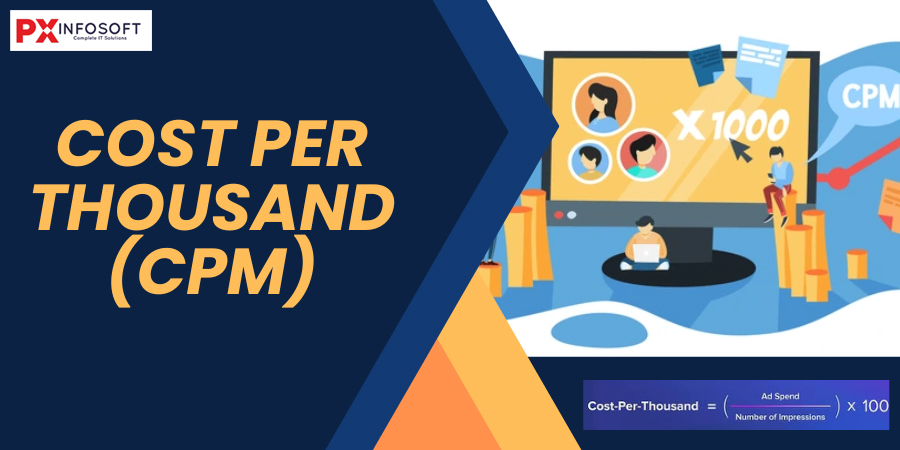
Cost Per Thousand (CPM) is a key metric in digital advertising that indicates how much it costs to reach 1,000 impressions of an ad. The “M” in CPM comes from the Latin word “mille,” which means thousand. This pricing model is widely used across various platforms, including online advertising, television, radio, and print media. It’s particularly effective when the main aim is to boost brand awareness or connect with a broad audience, rather than focusing solely on immediate conversions.
How CPM Works
When an advertiser chooses a CPM model, they agree to pay a set amount every time their ad is shown 1,000 times—regardless of whether viewers interact with the ad or not.
- If a website charges ₹5 CPM, it means the advertiser will pay ₹5 for every 1,000 ad impressions.
- If the ad is viewed 100,000 times, the cost would be:
(100,000 / 1,000) × ₹5 = ₹500
CPM Formula
To calculate CPM, you can use the following formula:
CPM=(Total Cost of Campaign /Total Impressions)×1000
Alternatively, to calculate the cost:
Total Cost=(Total Impressions/1000)×CPM
Where CPM is Commonly Used
- Display advertising (banners, pop-ups)
- Social media advertising (Facebook Ads, Instagram Ads, etc.)
- Video advertising (YouTube, OTT platforms)
- Traditional media (TV, magazines, newspapers)
Why Advertisers Use CPM
CPM is most effective when the goal is exposure and visibility rather than direct action. It’s ideal for:
- Brand awareness campaigns
- Product launches
- Event promotions
- Corporate messaging
Since it doesn’t depend on clicks or conversions, advertisers use it to blanket a market and ensure a message is seen by as many people as possible.
Advantages of CPM
- Predictable costs: Easy to budget and forecast based on impressions.
- High visibility: Great for building brand recognition.
- Simple to track: Metrics are easy to monitor through ad platforms.
Disadvantages of CPM
- No guarantee of engagement: You pay for views, not actions.
- Ad fraud and viewability issues: Bots or hidden ads may inflate impressions.
- Lower ROI for performance campaigns: If your goal is conversions, CPM may not be cost-effective.
How to Optimize CPM Campaigns
To get the most out of a CPM campaign:
- Target your audience carefully to avoid wasting impressions.
- Use eye-catching creatives to improve attention and retention.
- Track viewability to ensure your ads are actually seen.
- A/B test creatives and placements to find the best performers.
- Use frequency capping to avoid ad fatigue.
CPM in Programmatic Advertising
In the world of programmatic advertising, CPM is a key player. Advertisers place bids on ad impressions in real time, often using a Real-Time Bidding (RTB) system. This creates a dynamic environment where the cost of impressions can change based on factors like demand, user demographics, and the quality of ad placements.
CPM is a key metric in the world of digital advertising, allowing advertisers to gauge the cost of reaching broad audiences. While it might not be the top choice for campaigns focused on direct responses, it truly shines when it comes to building awareness and visibility—especially when combined with smart targeting and compelling creatives.
Customer Relationship Management (CRM)
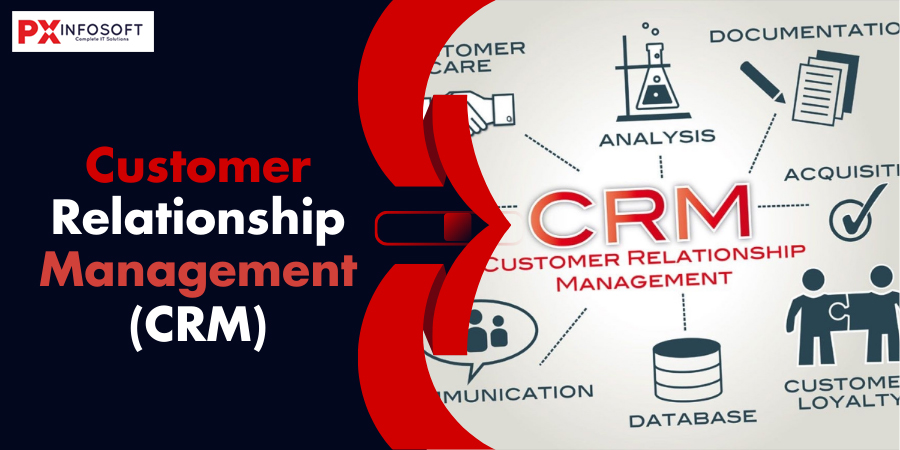
Customer Relationship Management, or CRM, is all about the strategies, technologies, tools, and processes that businesses use to handle and analyze their interactions with customers and the data that comes with it throughout the entire customer journey. The main aim of CRM is to enhance customer service relationships, help retain customers, and boost sales growth. CRM systems gather customer information from various channels—like the company’s website, phone calls, live chats, emails, social media, and marketing materials—to create a comprehensive view of each customer.
Importance of CRM
CRM is vital because it:
- Improves Customer Satisfaction: By having access to detailed customer information, businesses can better understand and meet customer needs.
- Increases Sales: CRM streamlines the sales process, improves sales forecasting, and enables targeted marketing.
- Boosts Customer Retention: A good CRM strategy helps nurture relationships and keeps customers coming back.
- Enhances Communication: Both internally among employees and externally with customers.
- Provides Actionable Insights: CRM analytics help track performance and customer behavior.
Key Components of a CRM System
CRM can be broken down into several core components:
- Contact Management:- Stores and manages customer information such as names, contact details, purchase history, and preferences.
- Sales Management:- Tracks sales opportunities, leads, deals, and pipeline stages. Helps forecast revenue and monitor team performance.
- Marketing Automation:- Automates marketing tasks like sending emails, segmenting customers, and running campaigns.
- Customer Service & Support :- Helps manage customer queries, support tickets, service requests, and feedback.
- Workflow Automation :- Automates repetitive tasks and business processes, ensuring consistency and efficiency.
- Analytics and Reporting :- Provides dashboards and reports to help businesses understand customer behavior and improve decision-making.
- Integration Capabilities :- CRMs often integrate with other tools such as email platforms, social media, e-commerce software, and ERP systems.
Types of CRM
There are three main types of CRM systems, each with its own focus:
- Operational CRM :- Focuses on automating customer-facing processes like sales, marketing, and service. Example: Salesforce.
- Analytical CRM :- Focuses on analyzing customer data for trends and patterns. Used for strategic decisions and personalized experiences.
- Collaborative CRM :- Emphasizes sharing customer information across departments (sales, marketing, support) to improve service.
Benefits of CRM
- Centralized Customer Data: Easy access to up-to-date information.
- Better Customer Segmentation: Target specific groups more effectively.
- Enhanced Customer Experience: Personalized service based on insights.
- Improved Communication: Internal and external communication is more organized and transparent.
- Increased Efficiency: Automation reduces manual tasks and errors.
- Stronger Customer Loyalty: Consistent engagement builds trust and loyalty.
- Revenue Growth: More effective marketing and sales strategies lead to higher conversion rates.
Challenges of CRM Implementation
Despite its benefits, CRM implementation can face challenges:
- Cost of Implementation: Especially for small businesses.
- User Adoption: Employees may resist change or fail to use the system effectively.
- Data Quality: Inaccurate or incomplete data can undermine the system.
- Integration Issues: Difficulty connecting CRM with other business systems.
- Security and Privacy: Safeguarding customer data is critical and regulated.
Future Trends in CRM
The CRM landscape is rapidly evolving with technology:
- AI and Machine Learning: Automate data analysis, predict behavior, and suggest actions.
- Mobile CRM: Access and manage CRM tools on mobile devices.
- Social CRM: Integrate with social media platforms for engagement and listening.
- Cloud-Based CRM: Offers scalability, cost-efficiency, and accessibility.
- Customer Experience (CX) Focus: CRMs are becoming more experience-oriented than purely transactional.
Popular CRM Platforms
Some widely used CRM platforms include:
- Salesforce – Highly customizable and feature-rich.
- HubSpot CRM – Great for inbound marketing and small to medium businesses.
- Zoho CRM – Affordable and user-friendly.
- Microsoft Dynamics 365 – Suitable for enterprises.
- Pipedrive – Focused on sales pipeline management.
- Freshsales – Offers AI-based lead scoring and automation.
CRM isn’t just a tool; it’s a whole business strategy. By getting to know customer behavior, managing relationships like a pro, and making the most of automation and analytics, companies can really boost customer satisfaction and their bottom line. Whether you’re running a small startup or a massive global enterprise, choosing the right CRM solution and strategy can completely change the way you connect with your customers and grow your business.
Call to Action (CTA)
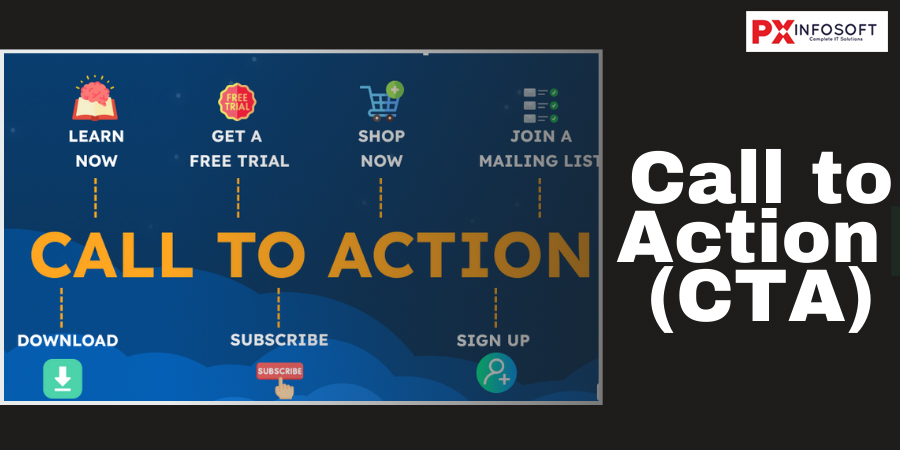
A Call to Action (CTA) is essentially a nudge that prompts users to take a specific step. In the realms of digital marketing, sales, and communication, CTAs play a crucial role in steering users toward your business objectives—whether that means making a purchase, signing up for a newsletter, downloading an app, or reaching out for more details. You’ll often find CTAs as buttons, links, or messages scattered across websites, emails, ads, social media, and various other marketing materials.
Purpose of a CTA
The main purposes of a CTA include:
- Driving user action: Motivate visitors or users to do something beneficial to your business.
- Improving conversions: Every time a visitor follows through on a CTA, they become a lead, a subscriber, or a customer.
- Guiding user journey: CTAs help users navigate the website or marketing funnel by showing them the next logical step.
- Measuring engagement: Clicks on CTAs can be tracked to evaluate the effectiveness of a campaign or landing page.
Types of CTAs
There are many different types of CTAs, depending on the context and goal. Here are some common examples:
Lead Generation CTAs:- Aim: Capture user information for follow-up Examples:
- “Download Free eBook”
- “Get a Free Quote”
- “Sign Up for Our Newsletter”
Click-Through CTAs:- Aim: Direct users to a landing page or next step in a funnel Examples:
- “See Plans and Pricing”
- “Learn More”
- “Explore Features”
Sales CTAs:- Aim: Push a user to make a purchase Examples:
- “Buy Now”
- “Start Free Trial”
- “Subscribe Today”
Social Sharing CTAs:- Aim: Encourage users to share content on social media Examples:
- “Share on Facebook”
- “Tweet This”
- “Tag a Friend”
Event Promotion CTAs:- Aim: Get users to attend or register for an event Examples:
- “Reserve Your Seat”
- “Join the Webinar”
- “RSVP Now”
Engagement CTAs:- Aim: Increase interaction without immediate conversion Examples:
- “Leave a Comment”
- “Watch Video”
- “Swipe Up
Best Practices for Creating Effective CTAs
- Use Action-Oriented Language:- Start with verbs that tell users exactly what to do, like “Get,” “Download,” “Start,” “Try,” or “Discover.”
- Create a Sense of Urgency:- Words like “Now,” “Today,” “Limited Time,” or “Only a Few Left” encourage faster action.
- Be Clear and Concise:- Avoid vague language. The user should immediately understand what will happen when they click.
- Match the CTA to the Content:- Ensure the CTA aligns with the user’s journey and the page’s purpose.
- Make It Visually Prominent:- Use contrasting colors, buttons, and white space to draw attention.
- Test and Optimize:- Use A/B testing to compare CTA designs, placements, and text to see what works best.
Examples of Great CTAs
- Netflix: “Join Free for a Month” — Simple, clear, and low-commitment.
- Spotify: “Get Spotify Free” — Highlights the zero-cost benefit.
- Amazon: “Add to Cart” — Direct and action-focused for eCommerce.
- HubSpot: “Get Started Free” — Encourages users to try their platform without financial risk.
Where to Place CTAs
CTA placement affects visibility and conversion. Common locations include:
- Homepage banners
- End of blog posts
- Pop-ups and slide-ins
- Landing pages
- Email footers
- Product pages
- Social media bios
Measuring CTA Performance
To evaluate the effectiveness of your CTAs, track the following metrics:
- Click-Through Rate (CTR): Percentage of people who clicked the CTA.
- Conversion Rate: Percentage who completed the intended action.
- Bounce Rate: To assess if the CTA led to meaningful engagement.
- Heatmaps: To see where users focus their attention.
Common CTA Mistakes to Avoid
- Using generic or uninspiring language like “Submit”
- Overloading pages with too many CTAs
- Poor button design or hidden placement
- Misleading CTA copy that doesn’t match the result
- Not optimizing for mobile users
A well-crafted Call to Action (CTA) is one of the most effective tools in the world of digital marketing. Whether you’re designing a website, writing an advertisement, or putting together a sales funnel, your CTA can have a huge impact on how users behave and can really boost your conversions. When you take the time to write and design your CTAs thoughtfully, they not only attract more clicks but also help steer users toward becoming loyal customers.
Click Through Rate (CTR)
Click Through Rate (CTR) is an essential metric in digital marketing that measures the proportion of users who click on a specific link compared to the total number of users who view a page, email, or advertisement. It’s a popular way to assess how effective online advertising campaigns, email marketing, and search engine results are. CTR gives you insight into how well your ads or content are performing—essentially, it shows you how many people feel motivated to take action after encountering your marketing message.
How is CTR Calculated?
CTR=( Number of Impressions/Number of Clicks)×100
- Clicks: The number of times users click on the ad or link.
- Impressions: The number of times the ad or link is shown to users.
Example:
If your ad was shown 1,000 times and received 50 clicks:
CTR=( 1000/50)×100=5%
Why is CTR Important?
- Performance Indicator: It shows how relevant and engaging your content or ad is to your audience.
- Cost Efficiency: In Pay-Per-Click (PPC) advertising (like Google Ads), a higher CTR can improve your Quality Score, reducing the cost per click.
- User Engagement: A higher CTR often correlates with better user interest and stronger calls-to-action (CTAs).
- SEO Signals: In organic search, CTR can influence how search engines assess the relevance of your page to specific queries.
What Affects CTR?
- Headline or Title:- The first thing a user sees—must be compelling, relevant, and attention-grabbing.
- Meta Descriptions and Snippets:- In search results, a well-written meta description can improve CTR even without affecting rankings.
- Call-to-Action (CTA):- Clear and persuasive CTAs encourage users to click through.
- Ad Copy and Design:- For display or social ads, visuals and copy play a big role in clickability.
- Audience Targeting:- Poorly targeted campaigns tend to have low CTRs because the audience isn’t interested.
- Position on the Page:- Links higher up on a page or in an email tend to get more clicks.
- Relevance to Query or User Need:- The more relevant your content is to the user’s intent, the higher your CTR.
CTR Benchmarks by Channel
CTR varies widely depending on the platform and industry. Here are average CTRs as of recent data:
| Channel | Average CTR |
|---|---|
| Google Search Ads | 3% – 6% |
| Google Display Network | 0.5% – 1% |
| Facebook Ads | 0.9% – 1.6% |
| Email Marketing | 2% – 5% (depending on list quality and niche) |
| Organic Search | Top 3 positions can get 30%+ CTR |
How to Improve Your CTR
Improving your CTR involves a combination of creativity, testing, and strategic targeting:
- Optimize Headlines and Titles:- Use action words, numbers, questions, or emotional triggers.
- Write Effective Meta Descriptions:- Summarize the content and include a value proposition or CTA.
- Use Eye-Catching Visuals (for Ads):- Ensure images are relevant, high quality, and match your brand tone.
- A/B Testing:- Continuously test different versions of ads, subject lines, and CTA text.
- Improve Targeting:- Use refined audience segmentation to make sure your message is seen by the right people.
- Increase Relevance:- Align content and keywords with the user’s intent for search-based platforms.
- Mobile Optimization:- Ensure your ads, emails, and web pages are mobile-friendly to capture clicks from mobile users.
CTR in SEO and SEM
In the world of SEO, having a high click-through rate (CTR) can signal to search engines that your page is super relevant to users, which might help boost your rankings over time. While CTR isn’t a direct ranking factor, it does correlate with improved organic visibility. When it comes to SEM/PPC, CTR plays a crucial role in determining your ad’s quality and cost. Platforms like Google Ads factor CTR into the Quality Score, which in turn influences your Ad Rank and Cost Per Click (CPC).
The Click Through Rate (CTR) is more than just a statistic—it’s a powerful indicator of how well your content, ads, or emails connect with your audience. A high CTR shows that your message is engaging and relevant, while a low CTR might suggest it’s time to rethink your strategy or refine your targeting. By grasping the elements that affect CTR and applying effective strategies to enhance it, you can really elevate the success of your digital marketing efforts.
Conversion Rate Optimization (CRO)
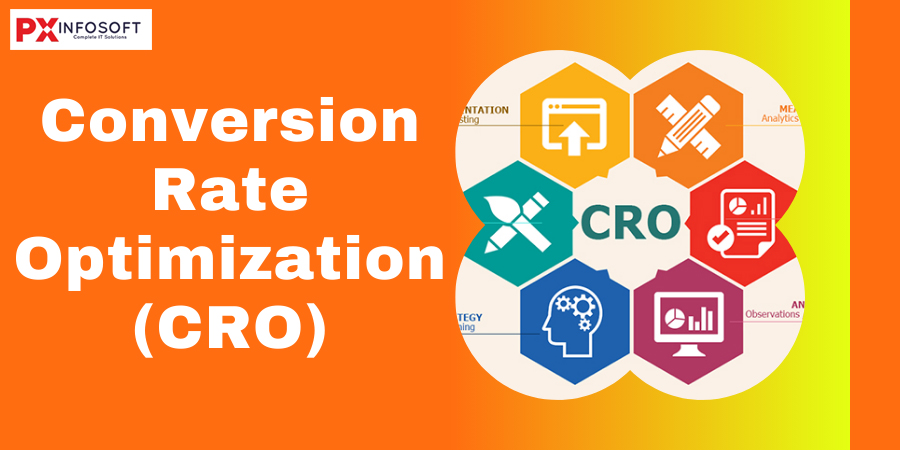
Conversion Rate Optimization, or CRO for short, is all about systematically boosting the percentage of visitors to your website who take a specific action. This could be anything from making a purchase and filling out a form to signing up for a newsletter or clicking on a link. The essence of CRO lies in understanding how users navigate your site, the actions they take, and identifying any roadblocks that might prevent them from achieving your goals. To calculate the conversion rate, you simply divide the number of conversions by the total number of visitors, then multiply that result by 100 to express it as a percentage.
Formula: Conversion Rate = (Conversions / Total Visitors) × 100
Why is CRO Important?
- Increases Revenue Without Increasing Traffic: Rather than spending more on ads or SEO to drive more traffic, CRO allows you to make better use of the visitors you already have.
- Improves User Experience: CRO often involves improving site usability, making navigation smoother and clearer, which enhances customer satisfaction.
- Maximizes ROI: Every marketing dollar goes further when your website converts at a higher rate.
- Provides Valuable Customer Insights: CRO involves testing and analyzing behavior, offering deeper understanding of your users’ needs.
Core Elements of CRO
Landing Page Design
- Clear layout, compelling CTA (call-to-action), concise content.
- Visual hierarchy and mobile responsiveness.
Website Copy
- Messaging should align with user intent and clearly explain benefits.
- Use persuasive, benefit-focused language.
Call-to-Action (CTA)
- Buttons or links that encourage users to take action.
- Must be visible, clear, and compelling.
User Experience (UX)
- Navigation ease, load speed, mobile-friendliness.
- Frictionless journey from landing to conversion.
Trust Signals
- Reviews, testimonials, security badges, guarantees.
- These help reduce hesitation or skepticism.
The CRO Process
Research & Data Collection
- Use tools like Google Analytics, Hotjar, Crazy Egg, or Microsoft Clarity.
- Identify pages with high drop-off rates or low conversion rates.
- Gather qualitative data via surveys or user feedback.
Identify Goals and KPIs
- Define what a “conversion” means for your business.
- Examples: Add to cart, form submissions, email sign-ups.
Hypothesis Creation
- Example: “Changing the CTA button from blue to red will increase conversions by 10%.”
A/B Testing
- Compare two versions (A vs B) of a webpage or element.
- Track which one performs better in terms of the defined conversion goal.
Analyze & Implement Results
- If variation B performs better, implement it permanently.
- Use findings to create new tests and iterate.
Continuous Improvement
- CRO is not a one-time task — it requires ongoing testing and refinement.
Tools for CRO
| Tool | Purpose |
|---|---|
| Google Analytics | Traffic and behavior tracking |
| Hotjar / Crazy Egg | Heatmaps, session recordings |
| Optimizely / VWO | A/B and multivariate testing |
| Unbounce / Instapage | Landing page optimization |
| HubSpot / Mailchimp | Funnel and email conversion tracking |
Common CRO Tactics
- Simplifying Forms: Reducing the number of fields increases completion rate.
- Improving Page Speed: Faster load times lead to lower bounce rates.
- Using Strong Visuals: Images and videos can build trust and increase engagement.
- Adding Social Proof: Testimonials, reviews, and user numbers build credibility.
- Creating Urgency: Time-limited offers or low-stock warnings can increase conversions.
- Optimizing for Mobile: With more users on mobile, responsive design is critical.
CRO Metrics to Track
- Conversion Rate
- Bounce Rate
- Exit Rate
- Average Session Duration
- Cart Abandonment Rate
- Click-through Rate (CTR)
- Return on Investment (ROI)
Challenges in CRO
- Traffic Volume: You need a sufficient sample size to test accurately.
- Time Constraints: Meaningful tests can take days or weeks to yield reliable results.
- Misinterpreting Data: Poor data analysis can lead to wrong decisions.
- Over-Optimization: Trying to optimize too many elements at once can backfire.
CRO Best Practices
- Start with high-traffic, high-value pages.
- Always test one variable at a time (A/B Testing).
- Avoid assumptions—let data guide decisions.
- Prioritize mobile and accessibility.
- Don’t overlook psychological principles like FOMO, authority, reciprocity, etc.
Conversion Rate Optimization is crucial for businesses that want to maximize their online presence. It combines data analysis, behavioral psychology, user experience design, and continuous testing. By grasping what drives your visitors and minimizing obstacles, you can convert more clicks into customers — all without increasing your advertising budget.
Conclusion
Getting a grip on key digital marketing terms like CPC, CPM, CRM, CTA, CTR, and CRO is crucial for anyone wanting to successfully navigate the online marketing scene. These terms not only outline vital metrics and strategies but also lay the groundwork for making data-driven decisions in digital campaigns. By getting comfortable with these concepts, marketers can more effectively measure their performance, connect with their audience, and fine-tune their efforts to achieve the best possible ROI. Whether you’re just starting out in digital marketing or looking to sharpen your skills, keeping up with these essential terms will give you an edge in the fast-changing digital landscape.